Start with the image’s purpose
Quality criteria are useful when they let you decide whether an image is ready for a specific placement. First establish what the visitor needs to see, where the image will appear, and which errors would undermine the task. Record these conditions before reviewing candidates: an attractive result should not quietly change the requirements.
Example: a workshop needs a banner measuring 1200 by 600 pixels and a square thumbnail. A hammer with a yellow handle and a screwdriver with a blue handle should appear on the right. The left third of the wide banner is reserved for a headline added separately. All dimensions and requirements in this example are illustrative.
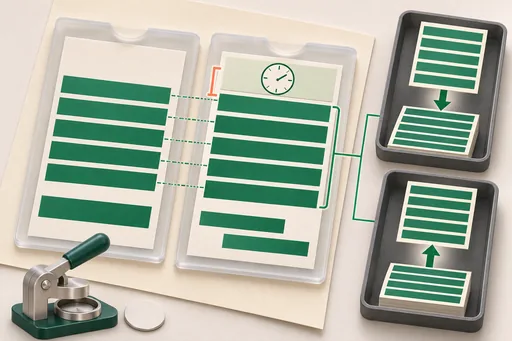
Create an acceptance record covering purpose, formats, mandatory requirements, preferences, checking methods, and the person responsible. You can maintain it separately from the generator. If images arrive through an API, give each result an identifier: the editor’s decision must refer to a specific file, including its revised version.
Separate mandatory requirements from preferences
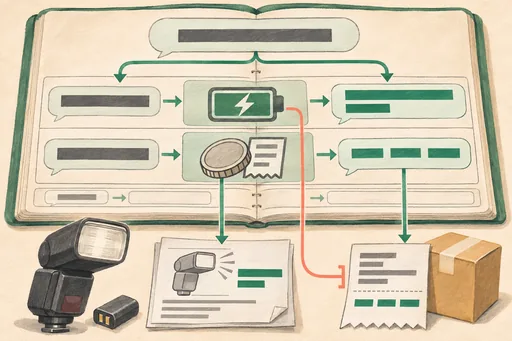
Check each mandatory requirement individually; a failure can block publication. Our example requires exactly two tools, handle colors matching the brief, and no objects in the banner’s left third that interfere with the headline. Both tools must remain visible in the square thumbnail.
The T2I-CompBench++ study examines attributes assigned to objects, relationships between objects, and object counts separately. The same separation is useful in your acceptance process: the presence of blue somewhere in the image does not establish that the screwdriver’s handle is blue.
Rate preferences after completing mandatory checks. Example scoring for lighting, palette coherence, and material textures: zero means a noticeable defect, one means acceptable, and two means matching an agreed reference. You could set an illustrative threshold of five out of six. This is a project rule; it is not a universal quality standard.
Apply the checks to a concrete example
Consider three hypothetical candidates; their scores illustrate the method. Candidate A has pleasing lighting, colors, and textures, earning six points out of six. However, the handle colors are swapped. Reject the current file or return it for correction. High visual scores do not override a mandatory requirement.
Candidate B earns five points and passes the wide-banner checks. Square cropping makes the screwdriver disappear. This file is not yet suitable for both placements. Candidate C also earns five points, but both tools remain visible, their colors are correct, and the headline fits its reserved area. You can accept it.
Check both the original file and the final layout. First confirm dimensions, object count, and handle colors. Then insert the actual headline, apply the intended crop, and view the thumbnail at its actual display size. Record an observation, such as the screwdriver disappearing entirely after square cropping. This explains the decision.
Align the criteria between reviewers
Calibration example: collect ten images, including suitable, clearly unsuitable, and borderline cases. Two people independently check them using the same acceptance record and identical layouts. For each rejection, they identify the failed requirement and the location of the error. They then compare decisions.
Disagreements reveal vague wording. If one reviewer finds the background calm and another finds it too busy, clarify the criterion: the headline must remain readable in the approved layout without moving it. Keep several agreed examples of acceptable and unacceptable visual treatment so later ratings have shared reference points.
Use automated checks as assistants: check file dimensions automatically and send text flagged by recognition tools for inspection. Require an explainable observation for colors, counts, and object relationships. When an automated evaluator reports that a requirement is met, a person must still be able to verify it against the image. Send unclear results for further review.
Test the method across a series of outputs
NIST recommends linking quality measurements to realistic test sets and documenting the method. For images, prepare tasks resembling actual work: a single object, several items, tight cropping, and mobile placement. This set checks whether your requirements work across different situations.
An example small set contains twelve tasks with two outputs each. Keep all twenty-four files and apply the same acceptance record. Calculate the acceptance rate across all generated images. Record color, count, and cropping failures separately, along with corrections. This helps identify which requirement most often prevents acceptance.
A small series helps uncover problems but does not establish a guaranteed success rate for future tasks. After changing settings, processing, or the available model version, repeat the checks on the same set and retain previous findings. Record the generation details available to you; explicitly mark an unknown version as unknown.
Account for the limits of the checks
Acceptance for a web page includes how the image’s meaning is communicated. W3C guidance calls for informative images to have a text alternative conveying essential information, while purely decorative images receive an empty text alternative. The page editor determines the banner’s role based on its content and surrounding text.
This protocol assesses suitability for the specified placement. The accuracy of a depicted product and permission to use the image require separate grounds. For a real product listing, add a comparison with approved photographs and specifications. An instructional illustration needs expert review: a visually convincing scene can depict an action incorrectly.
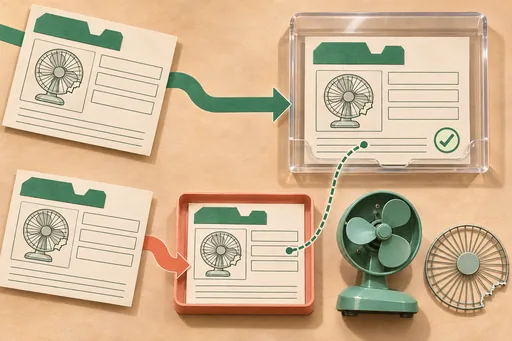
The final record should contain the file identifier, criteria version, mandatory-check results, preference scores, notes, date, and reviewer. Use clear decisions: accept, revise, reject, or review further. After revisions, check mandatory requirements and the layout again. Acceptance applies to a specific image version, so a new crop or edit requires a new decision.