Decide which data may be restored
After replacing names with temporary placeholders, an application may receive an AI draft that needs its original values restored. This introduces a separate task: checking who the text is intended for and where each value may be disclosed. Replacing every recognized placeholder does not provide those checks.
The NIST glossary describes pseudonymization as replacing identifiers with pseudonyms to conceal identity. If your application retains a mapping table for restoration, treat that table as sensitive data. The draft containing placeholders also requires assessment: its content may identify people indirectly.
The practical deliverable is a restoration rule for a particular document. Record its recipient, purpose, permitted fields, and blocking conditions. For example, a customer notice may require a name in its greeting, while the collection desk employee’s telephone number has no purpose in that message.
Create a register for one operation
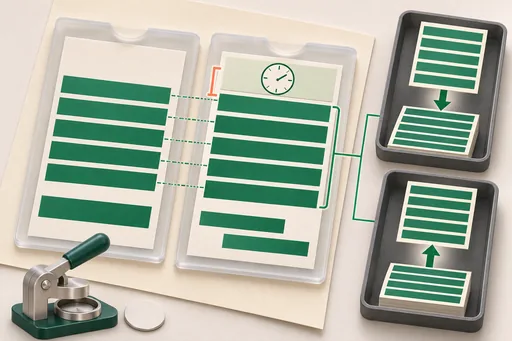
For each restorable placeholder, record the original value, person, data type, operation identifier, and permitted output location. Include the operation owner and the mapping’s availability period. Keep this information within the controlled part of your application; the model only needs working text containing placeholders and roles.
Use consistent references to people within one operation. Assign new random placeholders to independent operations, without deriving them from names or contact details. The short labels below are illustrative examples only. Two people with identical names must remain separate participants when the original request establishes that distinction.
NIST SP 800-188 warns that disclosing a mapping table exposes identities. Restrict access to the register and define its lifecycle in advance. A check log will usually need only the blocking reason and operation identifier; including original names would create another copy of sensitive information.
Example: a microscope collection notice
A fictional example: Olga Belova ordered a demonstration microscope, and Denis Kotov will collect the equipment. The application is preparing a notice for Olga. Its working text is already redacted: the customer is represented by NAME_7Q4 and the equipment collector by NAME_9M2. Denis’s telephone number is excluded from this notice preparation task.
Both placeholders are associated with participants in the current operation’s register. For the customer notice, NAME_7Q4 may be restored only in the greeting field. NAME_9M2 is prohibited there. The notice’s delivery address comes from the verified order record, independently of whatever text the model returns.
An acceptable example draft is: “NAME_7Q4, the demonstration microscope is ready for collection.” After validation, the greeting addresses Olga Belova. If the model places NAME_9M2 at the beginning, the application blocks restoration. That placeholder exists, but it belongs to another participant and is not permitted in this field.
Check the response before substitution
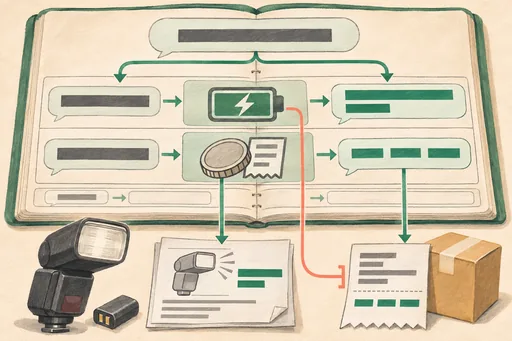
First associate the response with its operation and owner, then check that the required register remains available. Next, locate the draft’s placeholders and compare each one with its permitted fields. For a greeting, also verify the person’s role: matching the data type “name” is insufficient to select the recipient.
Require placeholders to remain unchanged. Do not repair an unknown placeholder based on similarity, numbering, or presumed meaning. Google Sensitive Data Protection documentation requires the complete token, including its annotation, when restoring tokenized unstructured text. Establish a separate, explicit exact-match rule for your own placeholders.
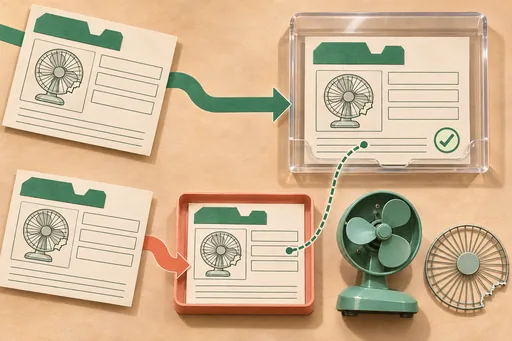
Also check for missing required placeholders and placeholders appearing in unexpected locations. A change in repetition count is acceptable only where the document format permits it. If a rule fails, hold the entire result for human review before substitution. Successful substitutions in neighboring fields do not resolve that failure.
Test restoration without calling a model
Prepare fictional responses manually for the check. Include seven variants: the correct customer placeholder; the collector’s placeholder in the greeting; a placeholder from another operation; altered spelling; a missing required greeting; the permitted placeholder repeated in a prohibited field; and a correct response after the register’s availability period expires.
The expected behavior for this illustrative set is to accept the first variant and block the remaining six before original values appear. Check each blocking reason separately. The second variant is particularly revealing: every placeholder character is correct and the mapping exists, but role and output-location checks must reject substitution.
After accepting the first variant, compare the finished notice with the original request: the name belongs to the customer, the readiness information is preserved, and unnecessary contacts are absent. Check the message and delivery address independently. These are expected outcomes of the proposed exercise, not reported test results for SeaGenera or any model.
Account for built-in masking and limitations
According to SeaGenera’s documentation, built-in masking replaces recognized text values with temporary placeholders and restores them in the response when the model preserves those placeholders unchanged. Mappings exist in memory while the request is processed. Consequently, a completed response containing restored values may contain personal data again.
The pre-substitution checks described here are intended for your application’s own preparation and restoration layer. SeaGenera’s documentation does not promise access to its internal mapping table or configurable permitted restoration fields. When using the built-in mode, check the received text separately before displaying, exporting, or sending it.
Content limitations remain. A model can place the correct placeholder beside an incorrect action; exact substitution will not detect that mistake. Grammatical inflection of a name may require manual editing. Unusual circumstances may identify someone without their name. After restoration, check meaning and the recipient’s access; for streaming output, hold the draft until the necessary checks are complete.