Decide what the listener needs to understand
In a short AI video, music and an upbeat line may accompany an important action that nobody mentions. Audio description puts visual information missing from the main soundtrack into words. It helps people who cannot see the picture or cannot see it clearly enough.
The practical deliverable is a script in which each necessary line connects to a verified moment in the clip. First, record what viewers should understand: an object changing, an element appearing, or the final on-screen message. These points become the basis for review. Pleasant delivery alone does not establish that the meaning survives.
W3C’s explanation of criterion 1.2.5 covers significant actions, scene changes, and on-screen text absent from the main soundtrack. Additional description is unnecessary when the relevant visual information is already spoken. Start by listening to the original audio alone and identifying the actual gaps.
Map the missing information
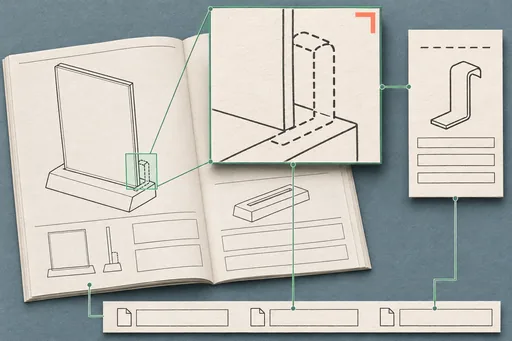
Fictional example: a finished 18-second AI clip shows a greeting card containing a paper lighthouse. The opening three seconds contain the line “Let’s see the card in motion.” From seconds three to seven, hands open the card. From seven to fourteen, a lighthouse rises from its fold and remains visible. The final four seconds show “Three-piece template.” The remaining audio is music.
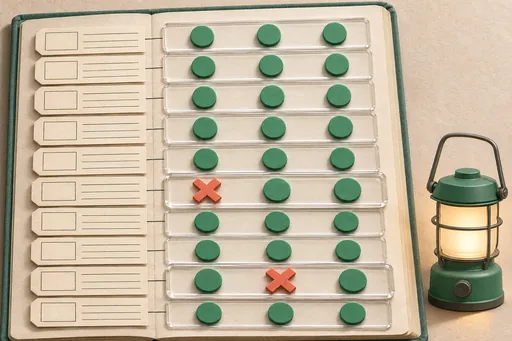
Create a record for each interval: time, visible event, information already spoken, and missing meaning. This example needs three messages: the card opens; a paper lighthouse rises inside it; the final text refers to three pieces. The table’s color can stay outside the script if it does not affect understanding.
Use the finished file as evidence. The original generation request expresses the author’s intention and may differ from the result. W3C WAI’s guidance on describing visual information recommends objective wording. Do not add an explanation of a concealed attachment or mechanism that the clip never shows.
Give AI verified observations
A text model can help shorten the map into brief narration. Supply the observations, intervals, and existing speech. Ask it to connect each proposed line to a particular map entry and flag unsupported details separately. Then manually check that the line retains the action, object, and necessary spatial relationship.
When analyzing video automatically, consider how it is processed. Google Cloud documentation, for example, describes default sampling at one frame per second and warns that fast action can lose detail. This illustrates a specific analysis limitation: a confident model answer does not establish that every moment was inspected.
In SeaGenera, check the selected model’s card for supported inputs. Text input is sufficient for a manually prepared observation map. Provider documentation does not establish that video support or particular settings are available through SeaGenera. Assemble the soundtrack and test the player separately.
Find space for every line
W3C WAI’s audio and video production guidance recommends incorporating necessary visual information into the main speech or allowing time for separate description. For an explanatory clip, you can revise the main narration. If the existing speech must remain, map the available intervals.
Example lines for our card are: during seconds three to seven, “Hands open the card.” In the next interval, “A paper lighthouse rises from the fold.” At the end, “On-screen text: three-piece template.” The final wording preserves the number’s origin: it comes from the displayed message.
Check the duration of the actual recording or synthesized line. Illustrative example: a line lasts four and a half seconds, but its available window is four seconds. It does not fit, whatever its word count. Shorten it while retaining the meaning, or allow extra time in the described version, then measure again.
Check understanding without the screen
Ask someone who has not seen the clip to listen to the finished version with its picture hidden. For this example, ask three questions: what happened to the card, what appeared inside, and how many pieces the ending text mentions. Record the answers verbatim before revealing the picture or explaining the intention.
Compare each answer with the observation map. A correct number does not compensate for a missing action. If the listener thinks the lighthouse was placed beside the card, check the script’s spatial wording. An answer guessed from familiarity with the subject does not establish that the soundtrack supplied enough information.
Then reveal the picture and review the same moments with sound. Each line should help listeners follow events without covering existing words or significant sounds. Understanding the overall story after listening does not establish that the description arrived at a useful moment.
Accept the file and define the review’s limits
For this example, acceptance requires all three messages to be understandable without the screen, supported by the clip, and contained within their allotted time. Inspect the exported file itself. W3C WAI explains that a separate description track needs player support; another option is a separate video version with description already included.
One listener can reveal a specific problem but cannot represent every user. For material that an audience will regularly rely on, involve people who use audio description. This protocol evaluates the transfer of selected information and does not replace an accessibility review of the entire player.
Keep the event map, approved lines, and an identifier for the reviewed video version. Repeat the comparison after generating a replacement, rearranging footage, or changing the final text. Audio description cannot repair a faulty picture: if the lighthouse breaks apart or the displayed message is incorrect, fix the material first.