Define what makes a record correct
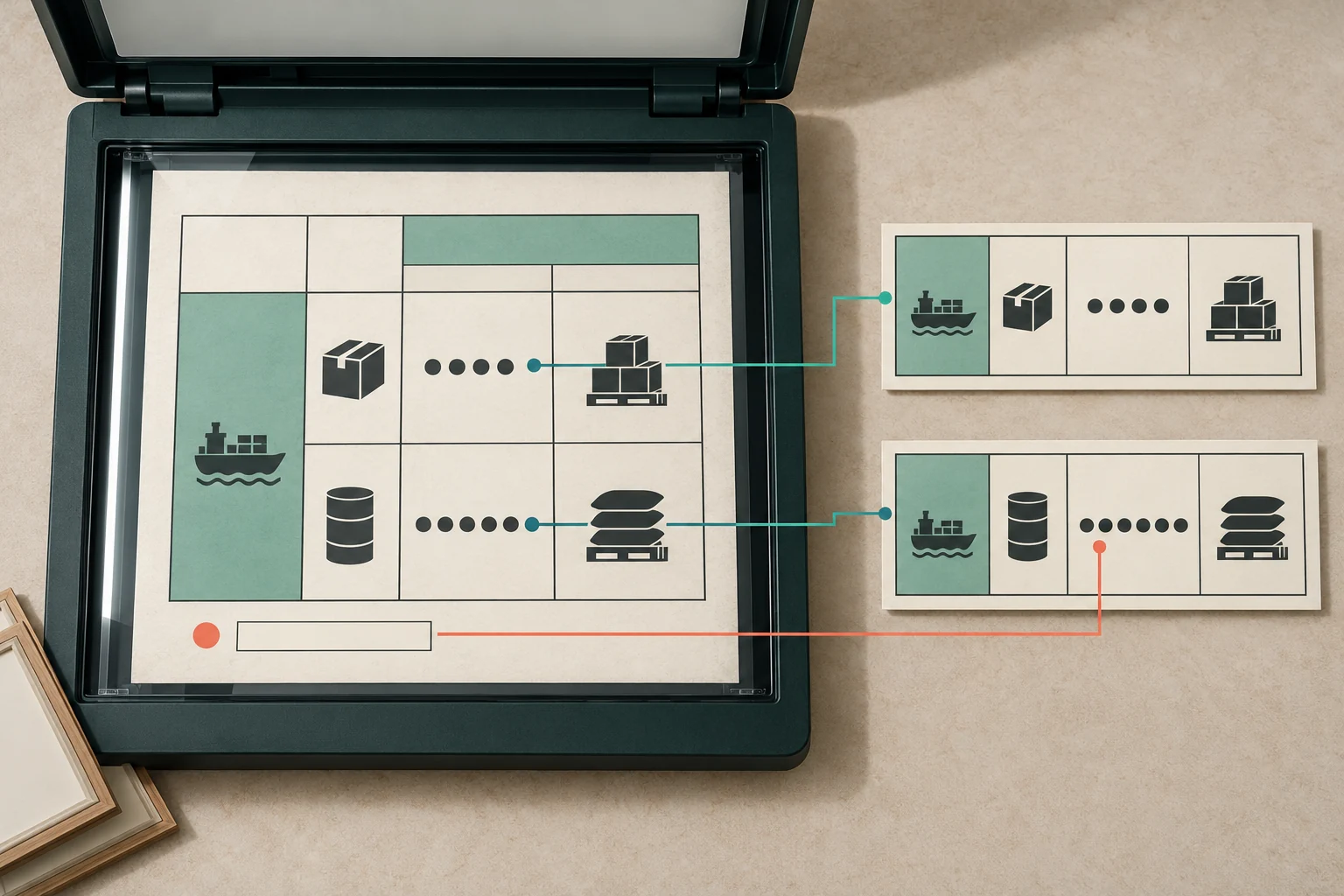
Every number in an extracted table can look convincing even when one belongs to the adjacent row or its unit has been left outside the extracted area. Before calculating anything, establish what one record represents: its item, variant, quantity, and conditions. The practical outcome is a working table in which every value can be located on the page and its connection to a header explained.
Microsoft Document Intelligence documentation describes separate information about table structure: cell indices, spans across rows or columns, and page coordinates. For version 2024-11-30, a table’s bounding region excludes associated captions and footnotes. In the procedure proposed here, review two layers: the content read literally and its assignment to a particular record. First identify the mandatory fields in your working table, then match the extracted values to them.
Prepare the page with its context
Keep the original page and prepare a readable working copy. Inspect its edges, rotation, glare, and small characters. Google Enterprise Document OCR lists blur, cut-off text, and glare among document defects; its automatic quality assessment can also be wrong. Inspect the specific cells you need. If a person cannot confidently read a character, request a better image or leave the value unresolved. Reconstructing digits would introduce another source of error.
Include the table title, every header level, notes, and page number in the working copy. Use an enlarged crop alongside the complete page to preserve context. In SeaGenera, first check the selected model’s card for image or PDF input support. PDF processing depends on the model and mode. Extracted text alone cannot establish the visible boundaries of a merged cell: that check requires access to an image of the page.
Separate reading from interpretation
On the first pass, ask AI to transfer the content without calculations or guesses. Example instruction: transcribe rows in their original order, preserve units and footnote markers, and identify the page and applicable headers for every value; flag unreadable areas separately. Also ask it to list merged cells and their coverage. This is a suggested way to organize the work, rather than a guarantee of correct recognition. Treat the response as a draft for review.
On the second pass, turn the transcription into working records. Copy a shared cell’s value into multiple rows only after inspecting its visible boundaries. Keep an explanation, such as: this category covers two rows. Distinguish an empty cell, a printed zero, a dash, and an unreadable character. Establish a dash’s meaning from the document’s explanations; if none is provided, leave that question open. This keeps uncertainty visible during subsequent processing.
Illustrative example: an exhibition packing list
Consider a fictional example. In a packing list, the category Frames occupies a shared cell beside two variants: large and small. The upper header Shipment spans the columns Packages and Contents*. The large variant has the printed values 3 and 4; the small variant has 2 and 6. A note below the table explains that contents means the number of frames in each package. Both the shared category and the final column’s meaning must survive extraction.
Suppose an illustrative AI response leaves the small variant’s category empty and describes contents as the total number of frames. Correct both relationships during review: the small variant also belongs to Frames, while 4 and 6 describe quantities per package. A cross-check gives 3 × 4 = 12 large frames and 2 × 6 = 12 small frames, totaling 24. This calculation follows the fictional example’s conditions; no model was run. It helps reveal a mistaken interpretation of units.
Check in both directions
First work from the page to the result: find the corresponding record for every source row, including rows with repeated names. Then reverse the direction: locate the source cell, header, and applicable note for every mandatory output field. In the example, check category, variant, package count, and contents separately. The total of 24 supplements this inspection: the same total can occur even when values have been assigned to the wrong records.
For a multipage document, inspect page boundaries separately. Google warns that Layout Parser can split a PDF table into separate parts when it continues onto another page. Compare the last row of one page with the first row of the next, checking repeated headers and continuing groups. Record which parts you joined and why. Matching column names give you a reason to investigate, but do not establish that the parts belong to one table.
Record acceptance and its limits
For a small inventory, a simple acceptance rule is practical: every mandatory value has been visually checked, its row and unit are established, applicable footnotes are included, and no mandatory field remains unresolved. Keep the page version, erroneous record, correction, and supporting evidence in a review log. If ambiguity remains, flag the specific field and pause calculations that depend on it. Other verified records can proceed with an explicit statement of the review’s boundaries.
Another model reading or a colleague’s review can help uncover discrepancies; the source evidence supporting a correction must remain accessible. This procedure checks whether the transfer matches the document. The document’s own accuracy, the currency of its information, and its author’s calculations require separate checks. With large collections, sample reviews leave rows unverified, so clearly communicate the sample’s size and coverage to the person receiving the result.


