Tasks the model can support
Google: Gemini 3.5 Transcribe converts recorded speech into text. Google distinguishes processing a completed file with gemini-3.5-transcribe from live transcription using a separate version with the live suffix. This review covers the selected file transcription model available in the SeaGenera catalog.
It can provide a text draft of an interview, voice note, or recorded demonstration. This review addresses a practical question: how can you check that every spoken explanation reached the transcript? Well-formed sentences alone do not establish whether a quiet ending after a long pause was processed.
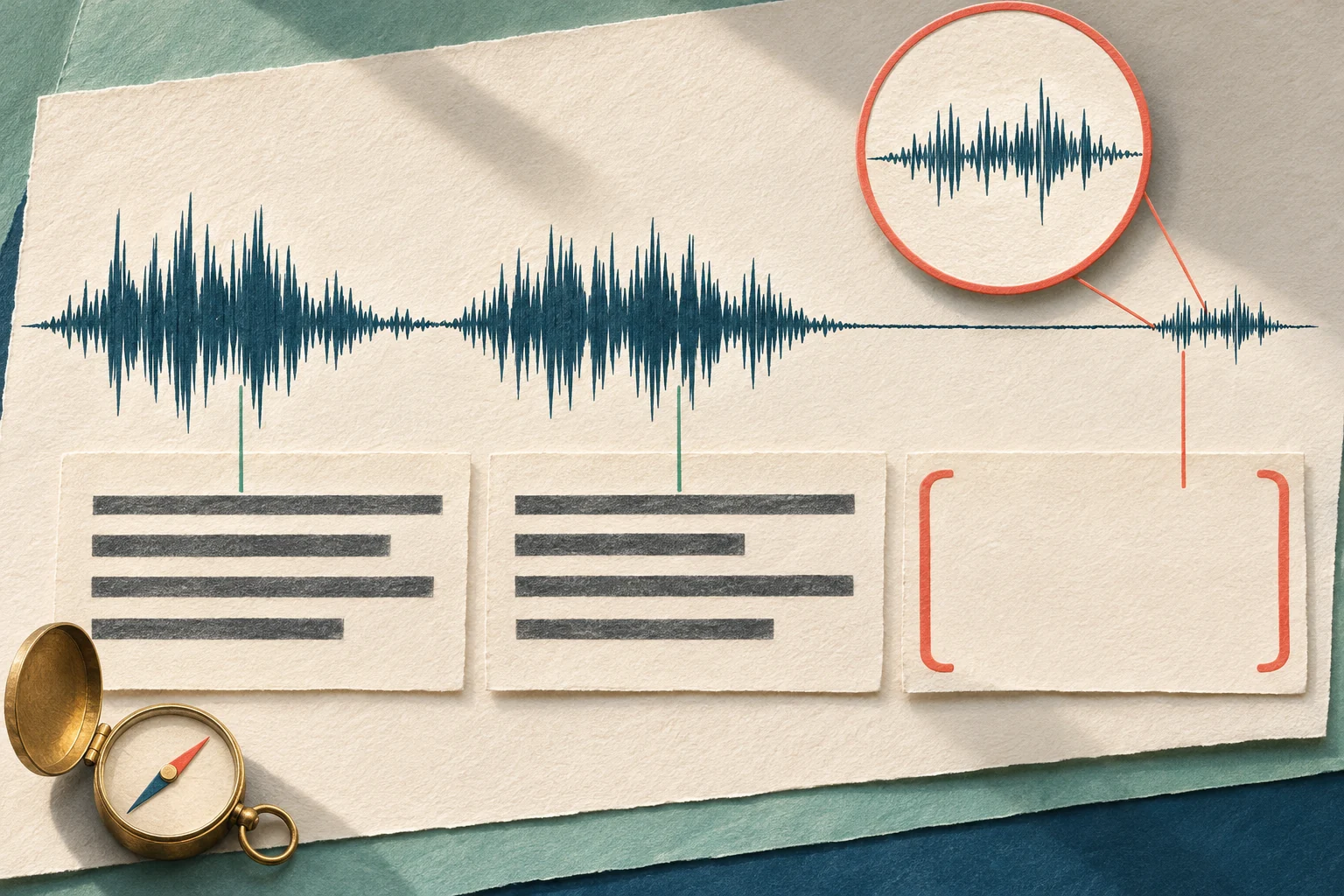
The deliverable is a transcript accompanied by a separate recording coverage map. Each speech interval is linked to its corresponding text or an unresolved issue. All examples below are fictional; no paid requests were made for this article, and the described errors are not model test results.
What SeaGenera exposes
According to the SeaGenera documentation snapshot dated November 24, 2026, the model is available in Playground and through /v1/audio/transcriptions. A request contains the selected model and an audio file; an optional language field can specify a language such as ru. Check supported file formats and upload restrictions in /docs before submitting.
Google documents SMART, custom vocabulary, and speaker diarization. However, this SeaGenera catalog entry does not confirm SMART or vocabulary controls and marks diarization as unsupported. SeaGenera documentation also does not confirm a free-form text prompt field for this model. The request examples below therefore specify the file and available parameters.
SeaGenera’s general documentation provides for the detailed verbose_json format, but timing fields are preserved only when returned by the provider. Google labels word timestamps experimental and warns that enabling them reduces transcription accuracy. Use the audio player’s time display for coverage checks; automatic timing is not required.
Example: a quiet ending to a demonstration
The fictional example is a portable compass demonstration lasting 2 minutes and 10 seconds. The presenter explains the scale until 00:32. A pause and a lid click follow until 00:48. An explanation of the ring lock runs from 00:48 to 01:34, followed by packaging noise until 01:43.
The final speech block spans 01:43–02:10. Speaking more quietly, the presenter explains putting the compass away, including: “Release the lock before placing it in the case.” For this illustrative example, the recording is known in advance to contain three speech blocks and two intervals without speech.
Before transcription, preserve the original and build this map by listening. Record the start, end, and a few reference words for each block. A noisy interval should not automatically count as speech, and a low waveform should not count as silence. If speech is audible but unintelligible, assign a separate “unintelligible” status and retain its interval.
Two illustrative requests
Example request A: the complete compass-demo.wav file, model google/gemini-3.5-transcribe, language ru, and the standard response containing recognized text. This request obtains an initial transcript. Keep the result separate from subsequent editorial versions so that you can establish where an explanation disappeared.
Example request B: a diagnostic excerpt from 01:38 to 02:10 of the original recording, using the same model and language ru. It contains some preceding noise and the entire quiet ending. This is an optional diagnostic attempt when the first transcript raises doubts; it creates a separate paid operation.
Record the excerpt’s offset of 01:38 relative to the original. Differences between the two responses identify material to replay, but do not determine which version is correct. Check what is audible in the original, and do not add a sentence merely because it appeared in the second response.
How to check completeness
Listen to the entire recording, working from audio to text. Beside each speech block in the map, identify the corresponding transcript paragraph. Check coverage within each block too: locating one sentence does not confirm that the rest was transcribed. Replay transitions after pauses and the file’s final seconds, even when the transcript ends with a complete thought.
Test the procedure with a deliberate error. In an illustrative transcript copy, delete the final speech block while retaining the previous paragraph’s smooth ending. The map should reveal that only two of the three blocks are represented. This is an illustrative interval coverage calculation, not a measure of model accuracy or the proportion of correctly recognized words.
Acceptance requires corresponding text for every intelligible utterance. Unresolved passages need a time reference and an explicit label, while intervals without speech must remain free of invented dialogue. After manually restoring an omission, replay the corrected passage with its neighboring sentences and verify that the text belongs to the intended interval.
Cost and the limits of the check
Google’s pricing page accounts separately for audio input and text output in tokens. The SeaGenera catalog likewise provides separate input and output rates in rubles for this model. The calculation principle is to multiply recorded input tokens by the input rate and output tokens by the output rate, then add the amounts.
Check current rates in the model card and on /pricing. Playground displays a reserve before submission; the final charge follows the confirmed cost. A missing usage.cost_rub value or a null value does not mean processing is free. Transcribing the complete file again or submitting a diagnostic excerpt requires separate expense tracking.
Noise, overlapping voices, and indistinct speech limit a transcript’s usefulness. A coverage map helps detect omissions, but cannot reconstruct inaudible words or establish that every sentence is correct. When checking selected passages, record the intervals reviewed: a claim of completeness for the entire recording requires listening to all of it.