What can break after editing
After AI editing, a manual may become shorter and clearer while the phrase “see section 4” remains unchanged. If section 4 now covers packaging, readers will land in the wrong place. This can happen even when the document contains no contradictory rules. The practical outcome of this review is a reference map with a decision for each internal reference.
Check three things separately: whether the destination exists, whether its content delivers what the reference promises, and whether navigation works in the finished document. Microsoft’s Create a cross-reference guidance explains that Word inserts cross-references as fields and can make them clickable. However, a working jump alone does not establish that readers will find the explanation they need.
Prepare a map of references and destinations
Freeze the document revision you intend to release. Collect its headings, figure captions, table titles, and appendix names together with their associated content. A contents page alone is insufficient: a heading called “Assembly” does not show whether a particular operation remains there. If an earlier revision is available, label it separately so the model can distinguish the versions.
Give destinations descriptive working names, such as “checking the locking mechanism” and “packing into the box.” These names support matching even when numbers change. For each reference, record its location, exact wording, expected information, actual destination, supporting passage, and editorial decision. Include the identifier of the revision under review.
Separately review phrases such as “see,” “above,” “below,” “on the next page,” and mentions of appendices. They help reveal references that have no clickable link. This review supplements the AI’s proposed inventory. An expected record count cannot replace checking individual locations: the model might omit one reference and include another twice.
Example: the number exists, but its meaning changed
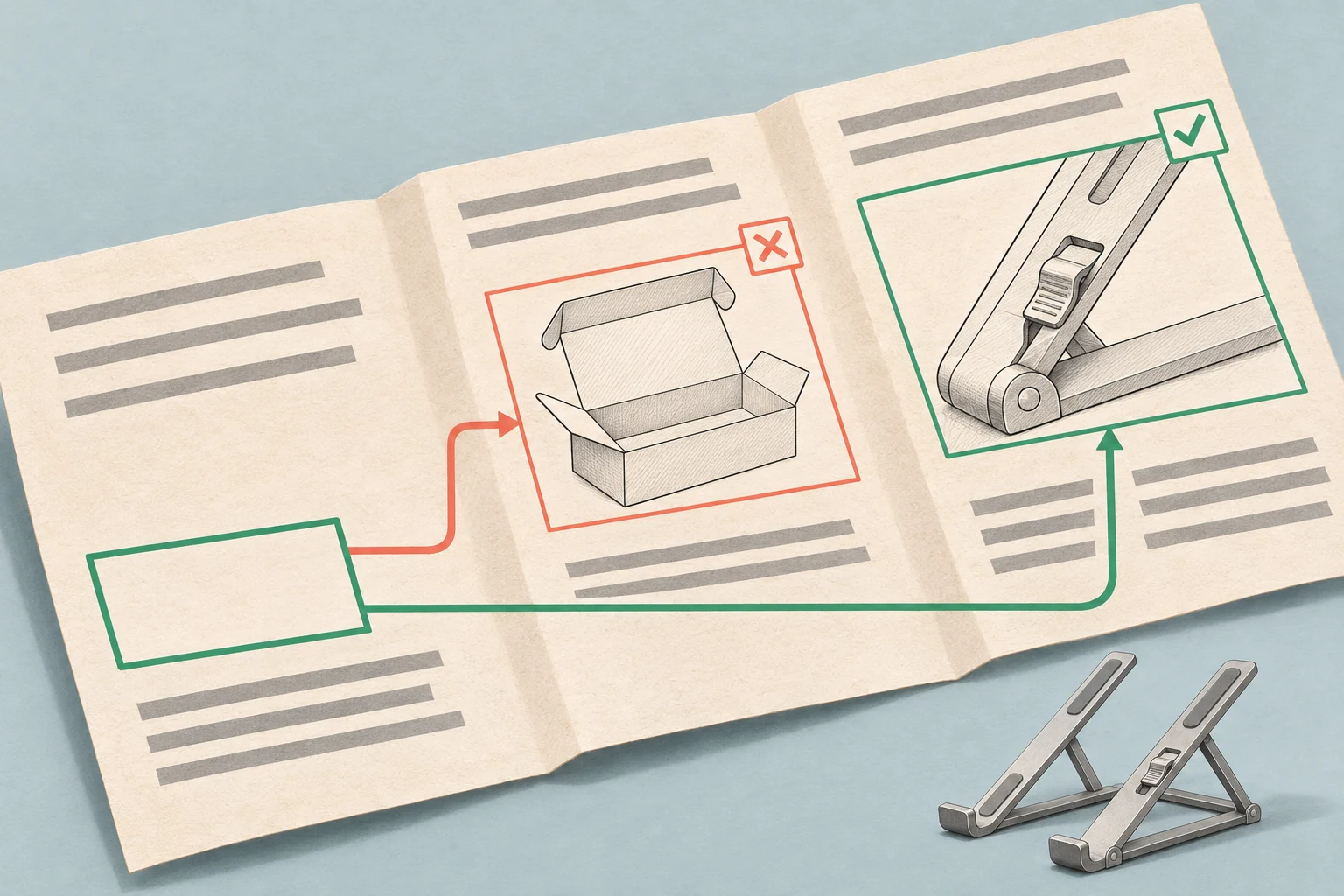
Consider a fictional manual for a folding laptop stand. In the earlier revision, section 4 described checking the locking mechanism. After editing, that operation appears in section 6, while section 4 covers packaging. The introduction still says: “The procedure for checking the locking mechanism is provided in section 4.” Checking whether the number exists will miss the problem.
The review record should connect that sentence to the content of section 6. The evidence is the passage about checking the locking mechanism, rather than merely a similar heading. The proposed correction in this example is to change the number to 6 while retaining the explanation of the reference’s purpose. Before accepting it, the editor reads both sections and confirms that the entire operation moved.
Add two more cases. A reference to Appendix B remains, although that appendix is absent from the new revision. This is unresolved: restoring the material or changing the reference requires confirmation. Meanwhile, the reference to Figure 1 still leads to the appropriate diagram and should remain. The review must distinguish faulty connections from correct ones.
Ask AI to match references with evidence
Example assignment for a text model: check internal references in the specified new revision. For each, report its location, the information promised to readers, its current destination, and a short exact passage supporting the match. Distinguish “matches,” “wrong destination,” “destination absent,” and “insufficient information.” Propose a correction only when the evidence is unambiguous. Explicitly identify any use of the earlier revision for comparison.
Ask for the purpose of each reference in words. The fictional wording “checking the locking mechanism in section 6” provides more to verify than a bare “see 6.” W3C’s Link Purpose (In Context) explanation connects understandable web link purposes with link text and context. Here, we adapt that idea as an editorial technique for documents, without claiming a WCAG conformance assessment.
Check the editor version and the finished file
Work through the review records and open every destination yourself. For Word, consider Microsoft’s Update fields guidance: fields sometimes require manual updating, and changes to the set of sections call for updating the entire contents table rather than page numbers alone. Afterwards, reread the sentences surrounding references: a correct number cannot repair an unsuitable description.
Next, check the version readers will receive, such as an exported PDF. Where clickable navigation is intended, activate it and inspect the destination. For a plain textual reference, locate the named section manually. Check “above” and “on the next page” against the final layout. Record this verification separately from the model’s assessment of the text.
Test the method and define acceptance boundaries
In a separate practice copy, retain the three example cases: an existing but incorrect section, a missing appendix, and a correct figure reference. Give the document to a reviewer without revealing the errors’ locations. Compare their decisions with your prepared analysis. The method should detect both defects and preserve the correct connection; this is an expected outcome, not a report of a completed test.
Set a simple release rule: every reviewed reference has either a confirmed destination containing the required information or an explicitly recorded unresolved issue. Check all references essential to following the instructions. If only part of the document was reviewed, state that boundary. An empty issue list does not itself establish that every reference was checked.
Reviewing a text extraction alone cannot confirm that PDF links work. An appendix’s suitability cannot be assessed without its content, and the author’s intent may be impossible to reconstruct without the earlier revision. AI can suggest a plausible but incorrect destination. This method checks reading routes within a document; the accuracy of its rules and completeness of its instructions require separate assessment.


