Identify the recipient first
Choose an AI response format according to what happens next. An editor needs text that is easy to revise, a spreadsheet user needs repeated records, and an application needs predefined fields. The same material may require different representations. The practical outcome is a short description of what the recipient must accept without manually reconstructing its structure.
Before generation, establish where the answer will go, which formats that system accepts, and who will correct errors. If the program imports only CSV, the convenience of JSON does not solve the task. If a person will read the result and rewrite half the wording, a detailed field schema may be unnecessary.
Write down four conditions: the recipient, the unit of a record, the required information, and the transfer method. The record unit matters particularly: a row might represent a document, a product, or an item within a kit. Naming the format does not answer that question. Agree on these conditions with the recipient before requesting the model’s answer.
Keep text for editorial work
Choose plain text when the next step involves reading, discussion, and editing meaning. Specify the order and purpose of its parts: a short description, contents, and usage restrictions. This gives the editor a predictable draft while leaving them free to change sentences and combine paragraphs without an additional data conversion.
For repeated cards, you can establish consistent section names in advance. However, if quantities, identifiers, and statuses will regularly be extracted from the answer, consider putting that information in a separate representation. Otherwise, every editorial change will need to be accounted for in the subsequent extraction rules.
Keep the model’s explanation separate from material intended for transfer. Specify whether an explanation belongs in the result and where it will be read. For text that will be pasted straight into a publication, request only the required parts. Discussing disputed decisions in a separate message before preparing the final version is usually more convenient.
Choose CSV for consistent records
In the W3C model, table rows describe entities, while values in a column concern the same property. Consider CSV for consistent records that will later be sorted, filtered, or summed. First establish what one row represents: an entire kit or an individual item within it.
If item counts vary, decide how to arrange them in advance. For equipment tracking, you could give each item its own row and repeat the kit identifier. Two related tables would require an agreed relationship between them. The decision depends on the recipient’s capabilities; asking the model to invent that relationship independently is risky.
W3C’s CSV recommendations enclose values containing commas, line breaks, or double quotes in double quotes, doubling internal quotes. Agree on the delimiter, encoding, and presence of a header. Request explanations separately: introductory text before the data may be imported as an extra record. A visible table in chat does not establish compatibility.
Use JSON for relationships and nesting
MDN describes JSON as a data exchange format supporting objects, arrays, strings, numbers, booleans, and null. Consider this representation when a record has its own list of items. The recipient must know in advance which fields belong to the whole record and which belong to each nested item.
Describe field meanings in plain language before developing the schema. Agree to transfer an identifier as a string when leading zeros matter. Specify a numeric value and a unit for quantities. Separately define what a missing value means: the model should not decide independently whether it indicates uncertainty or the absence of an item.
Check structured output support in the chosen model and service. Google’s documentation warns that Gemini’s mode supports only part of JSON Schema and may reject overly complex schemas. Schema support also does not establish content accuracy. Start with the smallest structure the recipient actually uses, and expand it as needed.
Illustrative example: two kits and three items
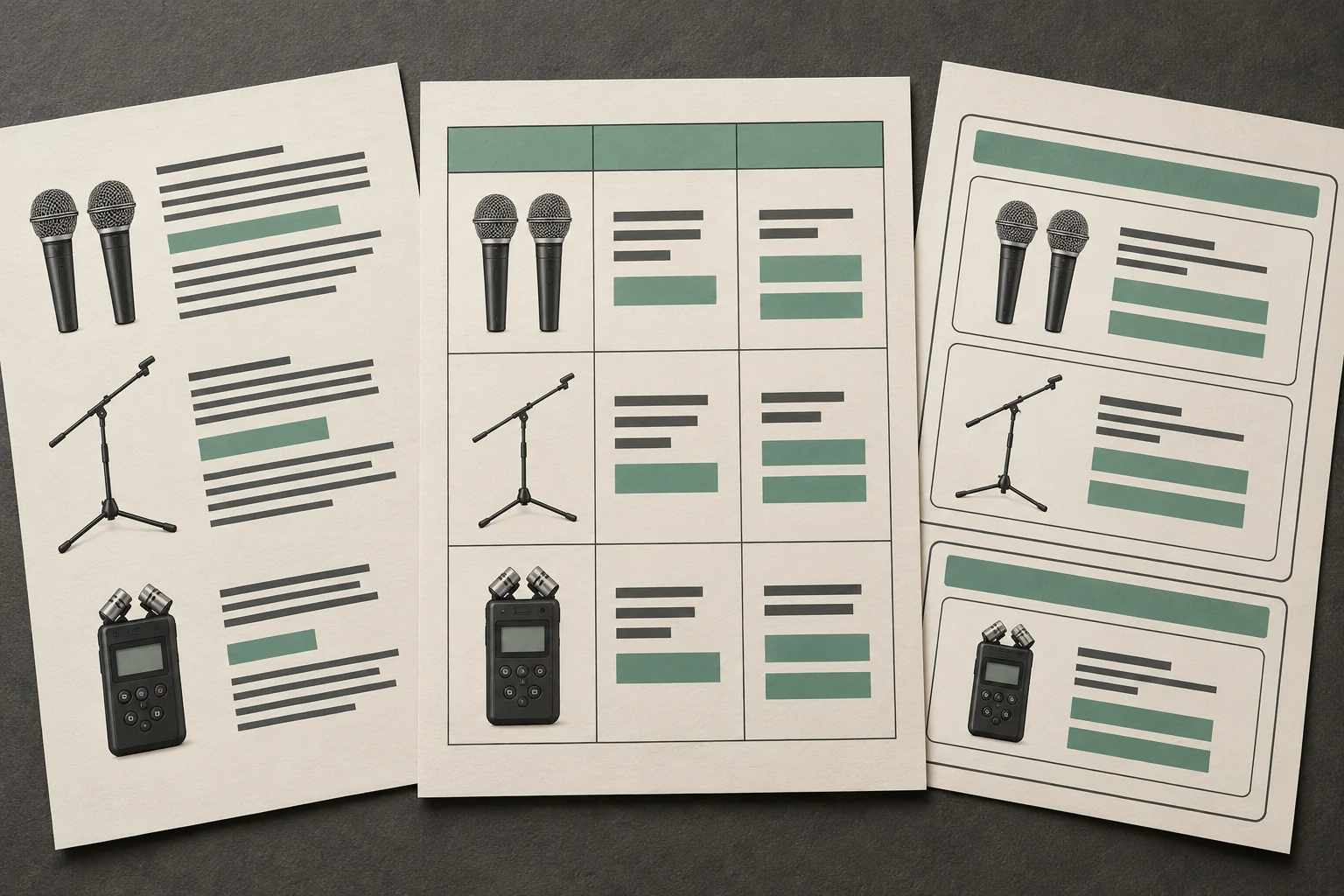
Illustrative example: you need to prepare information about audio equipment kits. The source description says kit 0073 contains two microphones and one stand, while kit 0074 contains one recorder. These are invented details for explaining the method, rather than model test results. There are two kits, three item entries, and four pieces of equipment.
For an editor, request two text cards with Kit and Contents sections. For an inventory spreadsheet, choose one row per item entry: the microphones and stand become two rows for kit 0073, and the recorder becomes one row for kit 0074. Each row needs the kit identifier, item name, and quantity. Expect three data rows here.
For an application that displays an entire kit, you could request a list of two objects, each containing its own item list. An example instruction in words: preserve identifiers as strings, list equipment as separate items, provide quantities as numbers, and add no explanation. If the recipient needs both a spreadsheet and cards, first agree on a shared data record, then the rules for producing both representations.
Check the transfer before generating at scale
You can begin checking with a small, manually prepared sample, without contacting a model. Transfer it into the destination system using the normal working method. For the illustrative example, check that identifiers 0073 and 0074, the three item entries, and the total quantity of four survive. If the sample is unsuitable, fix the format requirements first.
Then make the sample more demanding: add a comma to a name, make a description span multiple lines, and increase one kit’s item count. Confirm that the recipient preserves field boundaries and equipment membership. If export is available, compare the exported information with the original sample. This checks the representation’s compatibility with a particular workflow.
A successful transfer does not establish factual accuracy, response completeness, or editorial quality. Repeat the check after changing the destination system or record structure. Keep the agreed field description alongside the task: it should explain why this format was chosen and which changes would require reconsidering it.


