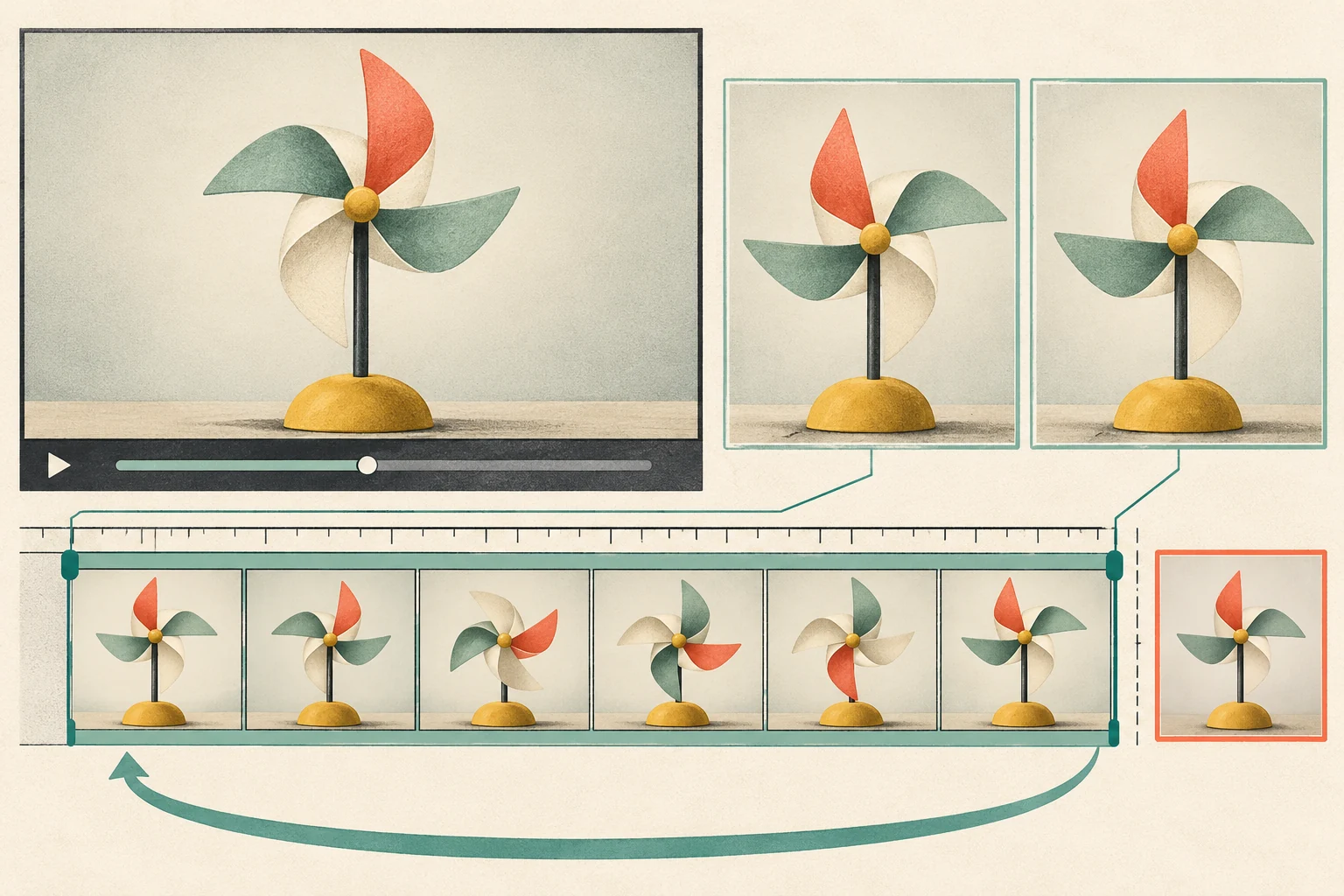
Identify what needs fixing
A short AI video can look good once and visibly jerk when repeated. The seam is the transition from the last displayed frame to the first. Object position, speed, lighting, or background can jump here. Check this transition separately from the rest of the clip.
MDN describes video looping as automatically returning playback to the beginning after reaching the end. The practical distinction follows from this: enabling repeat restarts the file, while the video’s content must provide a smooth transition.
The deliverable is a selected interval that withstands several consecutive repetitions, together with a record of its boundaries. You need a video editor with frame stepping. The following manual review method uses tolerances that depend on display size and the clip’s purpose.
Find motion that actually returns
Illustrative example: an existing clip shows a toy windmill with four blades. One blade is coral; the others are pale. The goal is a calm loop of one clockwise revolution. The camera is stationary, the base stays in place, and brightness should remain visibly stable.
The distinctive blade helps identify a complete revolution. Identical blades produce similar images several times during a rotation, so resemblance alone is insufficient. Follow one specific detail: a mark, fastener, or surface feature that remains consistent in the finished AI video.
Watch the entire source and find two moments when this detail passes the same position in the same direction. A complete cycle must fit between them. If the camera continuously moves closer or the object gradually changes shape, a suitable interval might not exist.
Compare several frames around the boundary
After finding similar positions, examine motion before the proposed ending and after the proposed beginning. For an initial check, take three frames on each side of the future seam. This is a working review window, not a universal standard; expand it for complex motion.
First check stationary landmarks: base corners, the table edge, and background details. Switch between boundary images or overlay them with partial transparency. Keep their original positions: aligning them beforehand can conceal camera displacement that viewers will see during playback.
Next, follow the marked blade. Its movement should continue across the seam with a comparable step. If it nearly stops before the ending and suddenly accelerates after the beginning, matching positions will not rescue the loop. Find another interval or acknowledge the source’s limitation.
An illustrative calculation: placing the trim
Consider a fictional six-second clip with a constant frame rate of 24 frames per second. Frame numbering starts at zero. Suppose frame 12, at 0.5 seconds, and frame 108, at 4.5 seconds, show the same phase after one complete revolution.
For a trial loop, keep frames 12 through 107 inclusive. That gives 96 frames, or four seconds. Frame 108 marks the next beginning and is excluded from this interval. Including both identical positions can introduce an extra hold at the boundary.
The last retained frame should therefore show a state slightly earlier than the first, allowing motion to continue across the boundary. Verify this during playback. These numbers illustrate a calculation, not an actual test result. If another duration is required, changing speed can noticeably alter the motion.
Choose a fix that addresses the cause
Trimming helps when the source already contains a suitable cycle. Without a return, you need different material or a new generation. Google’s documentation describes specifying first and last frames for Veo; check whether that control is available for the particular model and service.
Even if a system accepts the same image at both boundaries, treat this only as a starting point for review. Matching appearance does not establish consistent motion. After receiving the clip, still examine neighboring frames, rotation direction, speed changes, and any stop before the ending.
A short dissolve between ending and beginning sometimes conceals background differences, but it can create a double blade in the windmill. Playing forward and then backward reverses rotation, violating our example’s requirement. Use these techniques only when their effects suit the task.
Check the finished file and record the decision
Place three copies of the selected interval consecutively without transitions and save a preview at the original frame rate. Watch the internal joins at normal speed, then frame by frame. Next, check the final file with repeat enabled; five cycles can serve as a working protocol.
Comparing these viewing methods helps locate the problem. If transitions inside the triple sequence are smooth but a pause appears only when the player returns to the beginning, first investigate playback and file loading. This observation does not establish a specific technical cause.
Listen separately to the sound around the boundary. A visually smooth loop can contain a click, a cut-off word, or an abrupt background interruption. For a silent deliverable, prepare a version without an audio track; required audio needs its own transition review and repair.
Record the interval boundaries, frame rate, duration, audio decision, and reviewed display size. Watch again in the intended placement. This check neither repairs deformation inside the cycle nor guarantees identical playback across all players, but it makes the readiness decision verifiable.


