Which task to give the model
Microsoft AI: MAI-Transcribe 2 is worth considering when preparing an interview for editing: obtaining text, locating a passage in the recording, and checking who said it. This workflow suits a podcast editor, an interview writer, or a researcher who needs to return to individual answers.
Microsoft confirms recognition across 60 languages, including Russian and English, automatic language identification, mixed-language speech handling, diarization, and word-level timestamps. Diarization assigns speech to different speakers. For editorial work, the proposed approach uses these capabilities as the foundation for navigating the original audio.
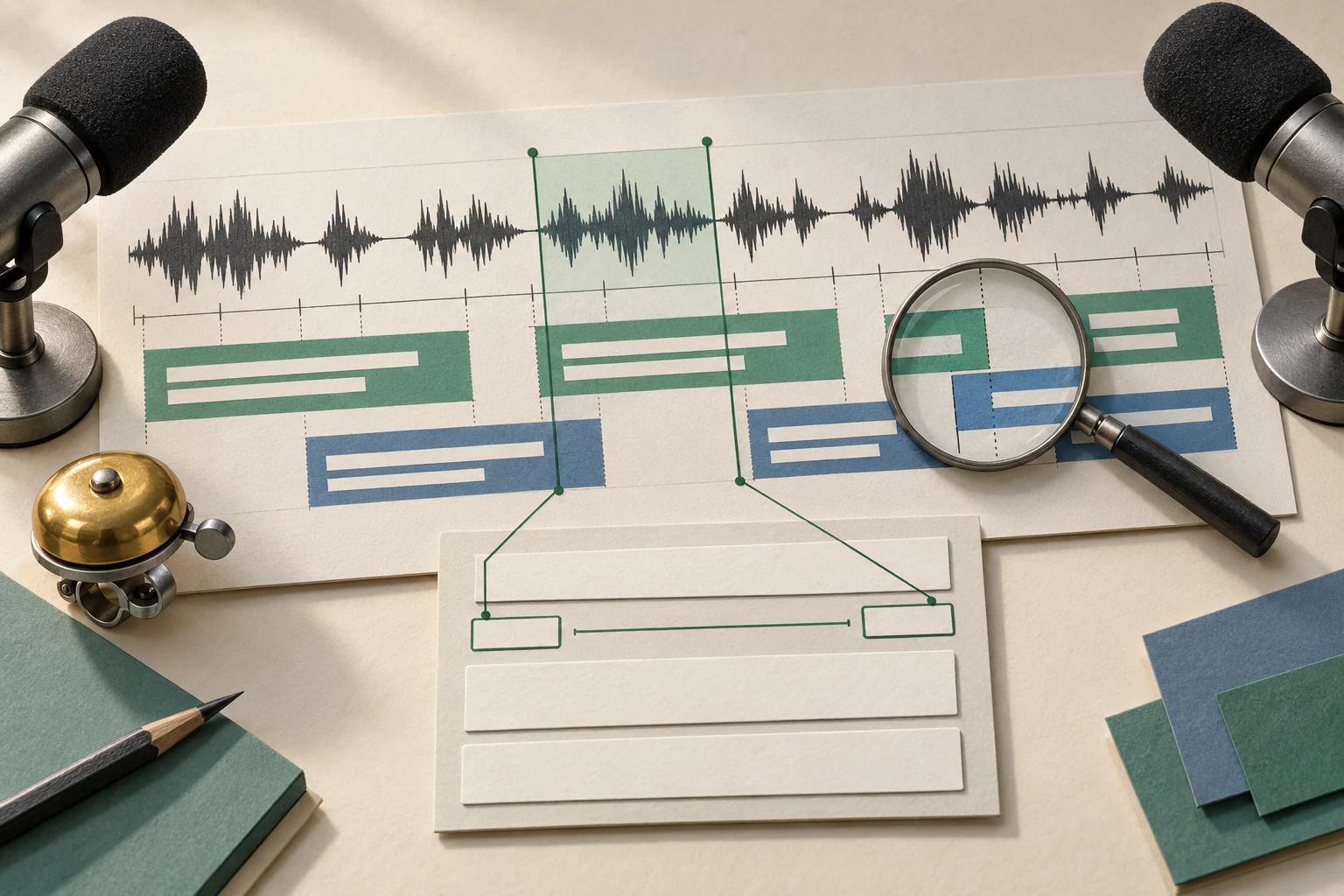
This article’s illustrative example is an eight-minute interview with a bicycle mechanic about accepting jobs and waiting for spare parts. The practical output is an excerpt map containing a participant, a time range, and a verification status. All examples are illustrative: no paid requests or model tests were performed for this review.
Prepare the recording and reference turns
Keep the original recording separate from your working copy. Record its filename, duration, and the selected excerpt’s starting position in the original. If the excerpt starts five minutes into the interview, you will need that offset when transferring returned times into the editorial map.
Before processing, listen to several places: the participants’ introductions, a short exchange in the middle, and an answer near the end. Write down who actually speaks at each point. These references will help you check speaker assignments even when the recognized text looks convincing.
In the illustrative example, the interviewer asks about turnaround times, and the mechanic answers before correcting himself. Mark the correction beforehand. If it is subsequently assigned to the interviewer, the map will be unsuitable for locating that quotation, even if the words themselves were recognized correctly.
Available settings and two request examples
SeaGenera’s snapshot dated 22 October 2026 confirms /v1/audio/transcriptions: a completed response without live streaming. Settings include optional language, response_format set to verbose_json, timestamp_granularities for word and segment, and provider.options.azure.diarization.enabled for diarization. Playground accepts these through its additional JSON parameters. Use timing, speaker, and confidence only when present.
First request example: one WAV containing the Russian-language illustrative interview, the selected model, language ru, and the detailed transcription settings listed above with diarization enabled. The aim is to obtain material for the map. Here, the request consists of audio and settings; no separate free-form prompt containing editorial wishes is required.
Second request example: a Russian interview in which a participant says the English sentence ‘The spare part is still in transit.’ Leave the language unspecified and flag the mixed-language passage for checking. Microsoft recommends forcing a single language only when you are certain of it and automatic detection has problems. Both examples describe request preparation, not an obtained result.
Turn the response into an excerpt map
Create a record for each useful passage: source file, start, end, temporary speaker label, text, and verification status. Add the roles ‘interviewer’ and ‘mechanic’ after checking the audio. The proposed rule is that an identical speaker number in different files does not, by itself, confirm someone’s identity.
A fictional record for the illustrative example: file interview-original.wav; range 02:18–02:32; participant — mechanic, confirmed by listening; passage — an explanation of the wait for a spare part; status — checked against audio. You can add an editorial paraphrase, ‘Timing depends on delivery,’ clearly separated from verbatim speech.
Establish the units of returned times before transferring them: seconds and milliseconds must not be mixed. Listen to the selected range’s beginning and end together with the neighboring turns. If a quotation starts with ‘yes,’ preserve the question in the record’s context so the editor knows what the participant is confirming.
Check speakers and account for limitations
Review every speaker transition within the passages selected for publication. Check short acknowledgments, interruptions, and self-corrections separately. Where voices overlap, mark the uncertainty and leave that passage for manual annotation. Do not assign a participant simply because a sentence sounds like a question or a professional explanation.
Microsoft’s official release capsule states public preview status, no SLA, and limitations on diarization for long recordings: those requests can fail. Start with a short, meaningful excerpt. Successful processing of a short file does not establish that the same approach is suitable for the entire long interview.
Microsoft also describes clean/verbatim styles and terminology hints, but the supplied snapshot does not confirm their availability through SeaGenera. Do not rely on those settings for this workflow. Keep the original response for the map and maintain a readable edit separately; mark disputed turns as unverified until you listen again.
Assess cost and usefulness
SeaGenera’s catalog prices this model per audio hour. Check the current ruble rate in the model card and on /pricing before submitting. An illustrative estimate for eight minutes is the hourly audio rate × 8 / 60. This is an estimate; the displayed reserve is preliminary, and the final amount follows confirmed billing.
Include manual work in the decision about further use. Record how long you spend assigning participants, correcting boundaries, and checking selected quotations. Compare interviews of similar difficulty: a calm conversation between two people and a recording with frequent interruptions require different amounts of editorial attention.
A proposed acceptance rule for the map: every publishable excerpt opens at the correct position in the original, its participant is confirmed by listening, and its quotation retains the surrounding meaning. If any condition fails, keep the record in progress. This grounds the decision to use the model in the material’s usefulness and the editor’s workload.


