When to consider H3
MiniMax: H3, catalog ID minimax/hailuo-3, is described by its developer as a system that generates video together with stereo audio from text and multimodal inputs. A practical use to consider is a short visual sting, atmospheric insert, or product scene where an action has an audible consequence. That connection still needs checking.
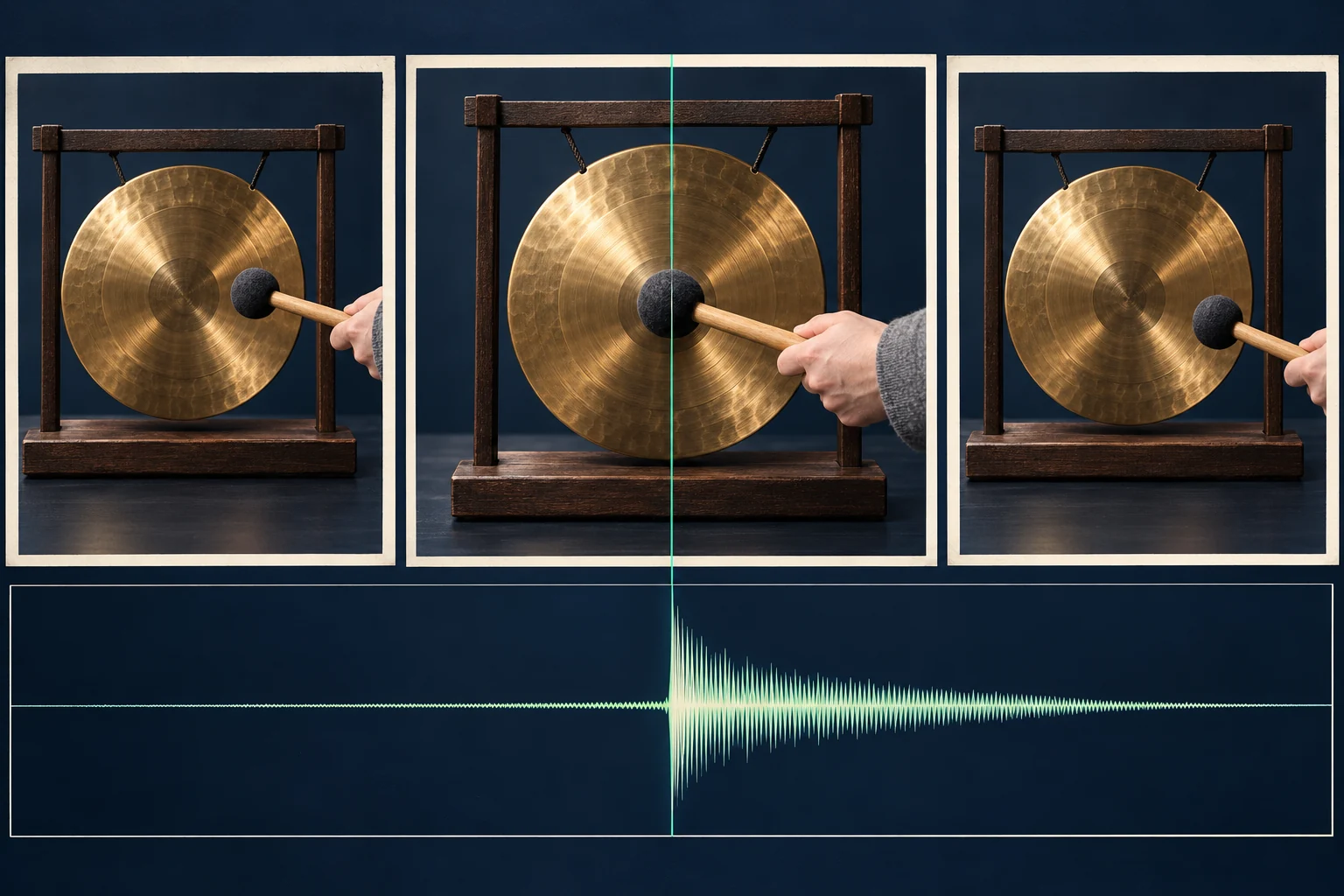
Our illustrative task is an eight-second studio shot: a mallet strikes a small brass gong once, then the ringing decays. The deliverable is a usable insert with a recorded sync check. This review uses documentation; no paid generations were performed, and the prompts and measurements below are illustrative.
Which settings SeaGenera provides
The SeaGenera catalog snapshot dated 21 October 2026 lists 2K output, integer durations from 5 to 15 seconds, and six aspect ratios: 21:9, 16:9, 4:3, 1:1, 3:4, and 9:16. For our example, choose eight seconds, 16:9, and enable generate_audio.
First and last frames use frame_images; references use input_references. SeaGenera’s documentation gives frames priority when both are supplied. Playground provides additional JSON parameters for complex fields. The catalog’s max_tokens, temperature, and top_p entries should not be treated as video controls: the documented video request does not describe them.
SeaGenera creates videos through /v1/videos and returns a task whose status is checked separately. This is asynchronous generation. Keep the task identifier so that waiting for completion does not turn into submitting another paid generation.
Two illustrative prompts for one event
The official H3 prompt guide places visible actions and their sounds along the scene’s timeline, while separating the overall soundscape from background music. For our example, describe the strike as an event, the room tone as ambience, and explicitly exclude music.
Illustrative prompt: Studio product cinematography, a locked camera. One small brass gong stands on a dark blue table. A hand in a gray sleeve brings a wooden mallet toward it. Around the third second, the mallet strikes the gong once and moves away. A single impact sounds at contact, followed by a gradually fading metallic ring. The remaining time holds the scene. Quiet room ambience, no speech, no background music, no cuts.
If the approach movement proves troublesome, an illustrative replacement prompt is: Eight-second studio shot, locked camera. A gray-sleeved hand already holds a wooden mallet beside a brass gong. One short strike, visible withdrawal, then stillness. One impact at contact and a fading ring. No speech, music, or cuts. This requests a new generation; it does not edit an existing result.
What to consider when adding references
An image reference can guide the gong’s appearance; a first frame can anchor the opening composition. Specify each material’s role. H3’s reference guide distinguishes reusing an audio signal from following its characteristics. Supplying audio should not be read as a promise of an unchanged soundtrack.
Watch the file limits: SeaGenera’s catalog shows 32 references, but the developer specifies at most nine images, three videos, three audio clips, and twelve files in total for mixed-reference mode. Do not treat the catalog’s upper bound as permission to send H3 32 files.
The developer describes source-video editing, but SeaGenera’s snapshot does not confirm dedicated controls for that mode. It also does not list previous_job_id for H3 continuation. Plan this exercise as a new clip, and keep subsequent editing in an external editor.
How to check contact against sound
Download the completed file and open it in an external editor with an audio waveform. Mark the first frame of physical contact and the onset of the impact sound, rather than the later loudest point of the ring. Subtract contact time from sound-onset time: a positive value means the sound is late.
Illustrative calculation: contact occurs at 3.00 seconds and sound starts at 3.12 seconds, giving a delay of 0.12 seconds. If your project’s predetermined tolerance is 0.08 seconds, this version fails. These are invented values, not H3 measurements, and the tolerance is an example project rule rather than a standard.
Then watch at normal speed. Check for one contact, one audible impact, a complete decay, and stable gong geometry. Shifting or replacing the sound may repair an otherwise usable shot in an external editor. It cannot repair an extra visible strike or a deformed object; those require changing the visual result.
How to account for cost and finish the job
SeaGenera’s catalog prices this model in rubles per output second. Estimate the video component as duration multiplied by the current 2K rate; the snapshot also lists an image-reference surcharge. That line does not establish audio- or video-reference pricing. Check current amounts in the model card and on /pricing.
Reserve funds for each planned attempt: a simplified prompt starts a separate paid operation. Playground shows a reserve before generation, while the final charge follows confirmed cost. Do not equate the reserve with the completed job’s final price.
If the task status is uncertain, check the existing task and request history before submitting another operation. Save the finished clip and your review note together: prompt, settings, contact time, sound-onset time, and the acceptance decision. This makes the result reviewable without claiming that H3 will reproduce it exactly.


