Record the content and boundaries of the edit
Finished AI narration sometimes needs one sentence changed: a visitor’s route, an exhibit description, or an instruction. Preserve the original file and prepare an edit record. Include the old text, approved replacement, start and end times, and timing requirement: retain the original duration or allow subsequent material to shift.
Illustrative example: a fictional audio guide for an exhibition of ceramic birds needs “go through the door on your right” changed to “walk to the end of the corridor.” The rest of the sentence stays unchanged. The deliverables are an assembled file and a record another editor can use to check content, both joins, and timestamps.
Evaluate the insertion in context. The authors of FluentEditor separately address acoustic consistency at edit boundaries and prosody consistency with the original utterance. Our method turns this distinction into two checks: listen for an abrupt change at each join, then assess whether the paragraph retains its intonation, rhythm, and mood.
Choose how much speech to regenerate
For an initial attempt, consider a complete sentence between natural pauses. An isolated word can be awkward to replace: its sounds must connect with neighbouring sounds, and its emphasis must fit the phrase. This is an editorial recommendation; listening determines the appropriate replacement size. Sometimes two sentences or a whole paragraph will be necessary.
If the selected model allows it, prepare a candidate with neighbouring sentences so you can assess its delivery in context. Insert only the required section: repeated surrounding material must not appear twice in the finished file. Also check words you requested unchanged, since they belong within the area requiring another review.
Retain the original model, voice, and available settings. In SeaGenera, delivery instructions and speed adjustment depend on the selected model’s support. Reusing settings does not itself confirm a matching result. If the previous voice or model version is unavailable, first assess whether the new delivery fits the remaining recording.
Assemble both transitions
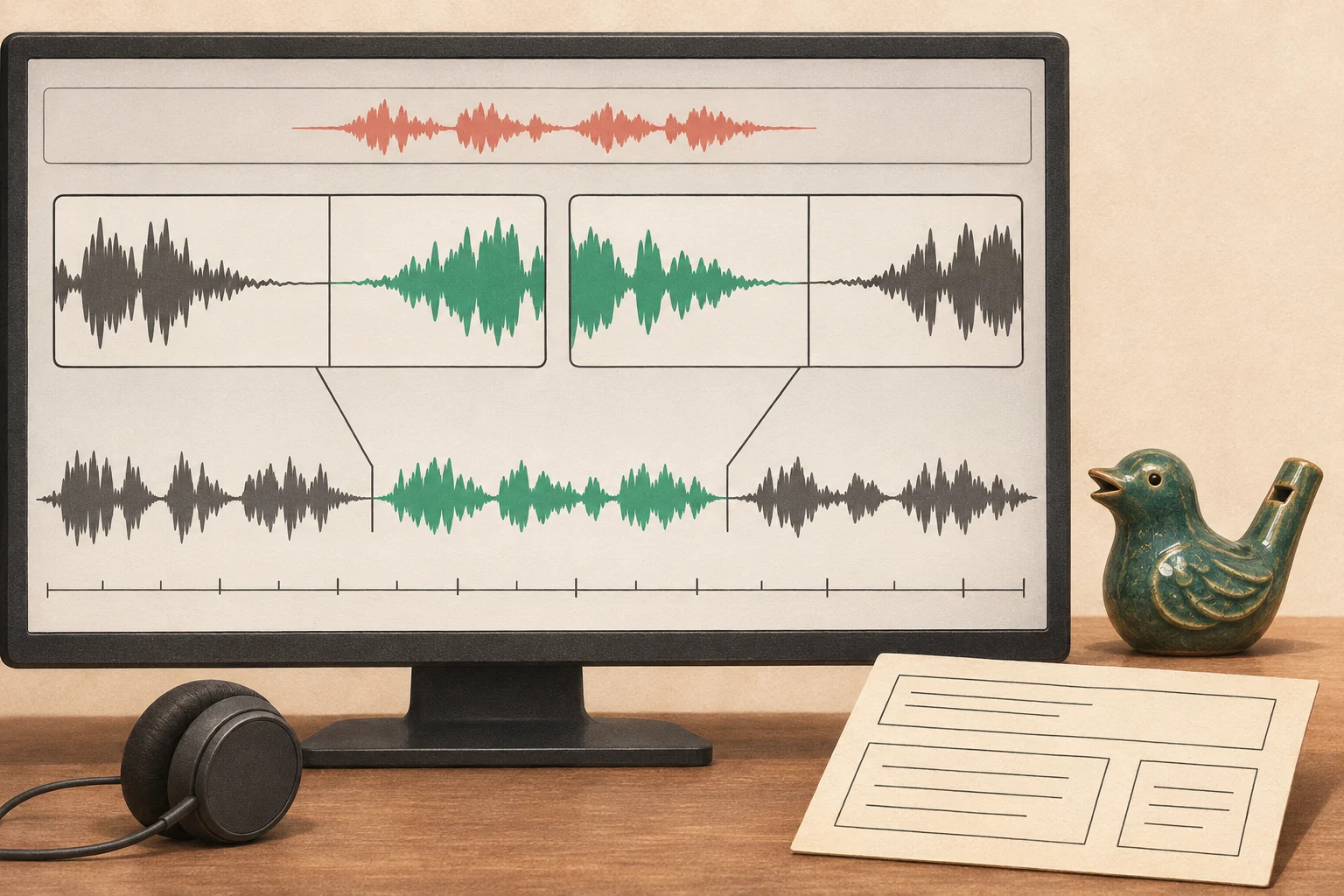
Open a working copy in an external editor. Mark the replacement’s entry and exit while listening to word endings and beginnings. An enlarged waveform helps locate the area, but a flat line cannot replace listening. Allow room for the final consonant, the voice’s decay, and a pause appropriate to the sentence’s meaning.
Microsoft’s Clipchamp documentation describes splitting synthesized narration into clips, adjusting volume, and adding fades. These operations provide useful criteria when choosing an editor. Generating a new audio segment in SeaGenera and assembling downloaded files in an editing application are separate stages of the work.
First check a straightforward join within a pause. If you hear a click, try moving the cut or applying a short fade at the quiet edge. Listen again after every adjustment. Ensure the processing does not soften a word’s beginning. If overlapping clips produce two audible voices, reduce the overlap or reconsider the boundaries.
Check what happened to the timing
Continuing the illustrative example, suppose the original section, including its associated pauses, ran from 2 minutes 10 seconds to 2 minutes 18 seconds: 8 seconds altogether. After choosing its final boundaries, the replacement lasts 9.5 seconds. These are hypothetical values explaining the calculation, not model test results.
A simple replacement with no other changes adds 1.5 seconds to the recording. The insertion ends at 2 minutes 19.5 seconds. Subsequent audio guide timestamps need the same 1.5-second shift. If the recording accompanies video, check the relevant frames and captions: their previous timings require verification.
When the section’s end must remain fixed, agree on shorter wording or expand the area being reworked. Preserve the instruction to reach the corridor’s end: shortening must not change the route. Accept acceleration only after listening in context. Do not automatically remove neighbouring pauses merely to match the timeline’s numbers.
Assess content and sound separately
First listen to the entire revised paragraph while reading the approved text. Check the changed instruction, preserved neighbouring sentences, and any repetitions or omissions. Automatic transcription may help reveal wording differences, but matching the script does not confirm natural transitions. Keep these two assessments separate.
Next, listen without the text at a fixed playback volume. Compare the insertion with neighbouring sentences: is it noticeably louder, quieter, faster, or more emotional? Matching individual waveform peaks cannot replace this check. MDN explains that increasing gain can cause clipping and distort the signal’s shape.
For an additional check, let a colleague hear the whole paragraph without revealing the edit location. Ask them to mark abrupt voice changes, strange pauses, or unnatural emphasis. Then inspect both known joins together. One listener reporting no issues can inform an editorial decision, but does not prove the replacement will escape every audience’s notice.
Accept the exported file
Export the result and open that actual file in an ordinary player. Recheck both transitions, the changed sentence, and the nearest subsequent timestamp. Listen to the recording’s beginning and end. Reviewing only the editing project is insufficient for accepting the listener’s file. For an audio guide, also use the intended playback device.
Record the insertion’s actual boundaries, total duration change, updated timestamps, and outstanding issues. Mark it ready after separately checking content, sound, and timing. Retain the original and accepted versions so that an error can be reversed and the section needing further work can be identified precisely.
If the insertion retains an incompatible delivery and volume processing merely conceals the problem, replace the paragraph or regenerate a larger coherent section. Its new boundaries also need checking. This method helps identify specific defects but cannot guarantee seamless results: available settings, the original recording, and model behaviour limit local editing.