Identify where the correct answer lives
Consider search across your own documents when the answer depends on your team’s materials: instructions, product descriptions, approval rules, or project archives. For example, “How are designs usually approved?” allows general advice. “Who approves designs here, and under which procedure?” requires a specific source. Write a similar pair of questions for your work.
Microsoft’s documentation describes RAG as combining search with a language model: the system finds relevant materials and supplies them to the model along with the question. The answer can include links to the original documents. The practical implication is to establish which sources the tool uses to answer questions.
The first useful result is a list of recurring questions and the files containing their answers. If the necessary rules exist only in employees’ memories, document them first. Otherwise, you will lack a reliable basis for checking an answer, even when it looks detailed and convincing.
Choose how to work with the materials
If you need a request number or a document with a known name, start with ordinary search. To explain one short section, you can manually supply an authorized excerpt to the model with your question. This lets you check the value of its explanation before preparing an entire document collection.
Search followed by an AI answer is worth trying when questions recur, the relevant file is unknown, or the answer requires several materials. For example, an employee needs to compare an approval procedure with rules for handing over a finished design. Decide what result they need: an explanation, a comparison, or a sequence of actions.
Over several working days, record how many sources you open for a typical question. If one short document usually suffices, start there. If you regularly need different materials, prepare a small trial collection. The size of a folder alone does not tell you which approach will be more useful.
Prepare documents you can verify
For the first check, select materials covering one process rather than the company’s entire archive. Choose documents you understand and can verify manually. Add titles, content owners, and status: current document, draft, or archive. These details will help explain why a particular source was selected.
Google Cloud’s documentation separately describes recognizing text in scans and processing document structure, including headings, lists, and tables. Before checking answers, compare the extracted text with the original. Ensure table rows remain in order, negation is preserved, and exceptions have not become separated from the rules they qualify.
Establish a clear method for choosing versions. For example, use approved instructions for current work and consult archives for questions about changes over time. A later file date does not necessarily mean approval. If two current sources contradict each other, ask the process owner to clarify the rule before including them in the collection.
Example: find the rule for design revisions
Training example: a studio prepares three documents. The current “Revision rules B,” under “Revision limit,” allows two rounds of changes within the approved concept. The archived “Revision rules A” allows three. The “Concept change” checklist requires separate approval of a new task when the concept changes. All names and rules in this example are fictional.
Example question for checking: “How many revision rounds are allowed for a design under the current rules, and what should we do if the concept changes?” Ask for the document and section supporting each conclusion. This question checks both the selection of the current version and the combination of information from two sources.
The expected answer in this training example is two revision rounds within the approved concept; changing it requires separate approval of a new task. Open both referenced sources and compare the wording. An answer saying “two rounds for any changes” omits the condition and therefore fails the check.
Check retrieval and the answer separately
Microsoft’s RAG evaluation documentation separates the quality of retrieved materials from the quality of the final answer. For answers, it considers support from sources, relevance to the question, and completeness separately. A practical sequence is to check whether the right passage was found, accurately represented, and kept with its essential conditions.
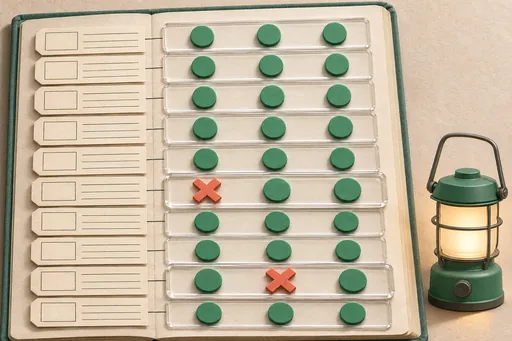
Example set for manual checking: eight questions. Three ask directly about rules, two express the same meaning differently, one requires two documents, one checks a conflict with an archive, and one concerns missing information. Write down the expected answer and supporting source for each beforehand, or the expected message that supporting information is unavailable.
When an error occurs, inspect the retrieved passages first, if the tool exposes them. A missing section points to retrieval or preparation problems. If the section was found but the answer distorts a condition, check the explanation. Accept answers only after verifying their sources and every necessary condition; record errors alongside the test questions.
Set boundaries for use
For a shared collection, establish who can access documents and their excerpts. Microsoft describes restricting search results at the individual document level. Include an access check in your trial: participants should receive information only from materials they are authorized to read. Begin with a small collection containing no restricted data.
Search does not guarantee a correct answer: the model may receive incomplete or irrelevant passages. In this method, “supporting information was not found” means only that no supporting information was found in the selected collection. It does not prove that the rule does not exist. After changing an instruction, repeat its associated test questions.
You can run an initial manual trial in SeaGenera’s Playground using a short excerpt you are authorized to send to the selected service. Compare the explanation with the original. Check file connection and document search capabilities separately in your chosen tool. Expand the collection after successfully checking sources, exceptions, and document updates.